
Lost Signal, Not Lost: How to Prep Your Tech for Travel


When packing for a trip, your gear is essential. Laptop, phone, cables. Check. But what about the software, the travel apps? You're going to need those to keep everything running smoothly, especially when the inevitable happens: You've lost your internet connection.
It’s easy to assume you’ll always have Wifi, cell service, or unlimited data. That's not always the case:
- That SIM or eSIM you purchased may not have activated yet.
- Access to roaming data may be expensive or throttled.
- Constant data usage drains your phone's battery.
You may think you’ve got all the travel apps you need, but may not be considering what happens when your connectivity drops, just when you need it most:
- You just landed and need to navigate to your accommodation.
- You’re using public transportation or need a ride share, but many transportation apps only function if they can access data in real-time.
- You find yourself in a rural, underground, or historic area that typically lacks signal.
- You’ve forgotten a crucial password and can’t get into an app.
- You’re bored to tears on a plane, but your entertainment apps don't function in Airplane Mode.
I downloaded content, so I'll be fine.
Even if you've saved maps and entertainment to your device, you still need to set them up correctly, because many:
- Require logins to refresh content
- Don’t clearly explain what works offline
- Only partially download data without letting you know
- May silently fail when you lose signal
Must-Have's in Case You Lose Your Connection
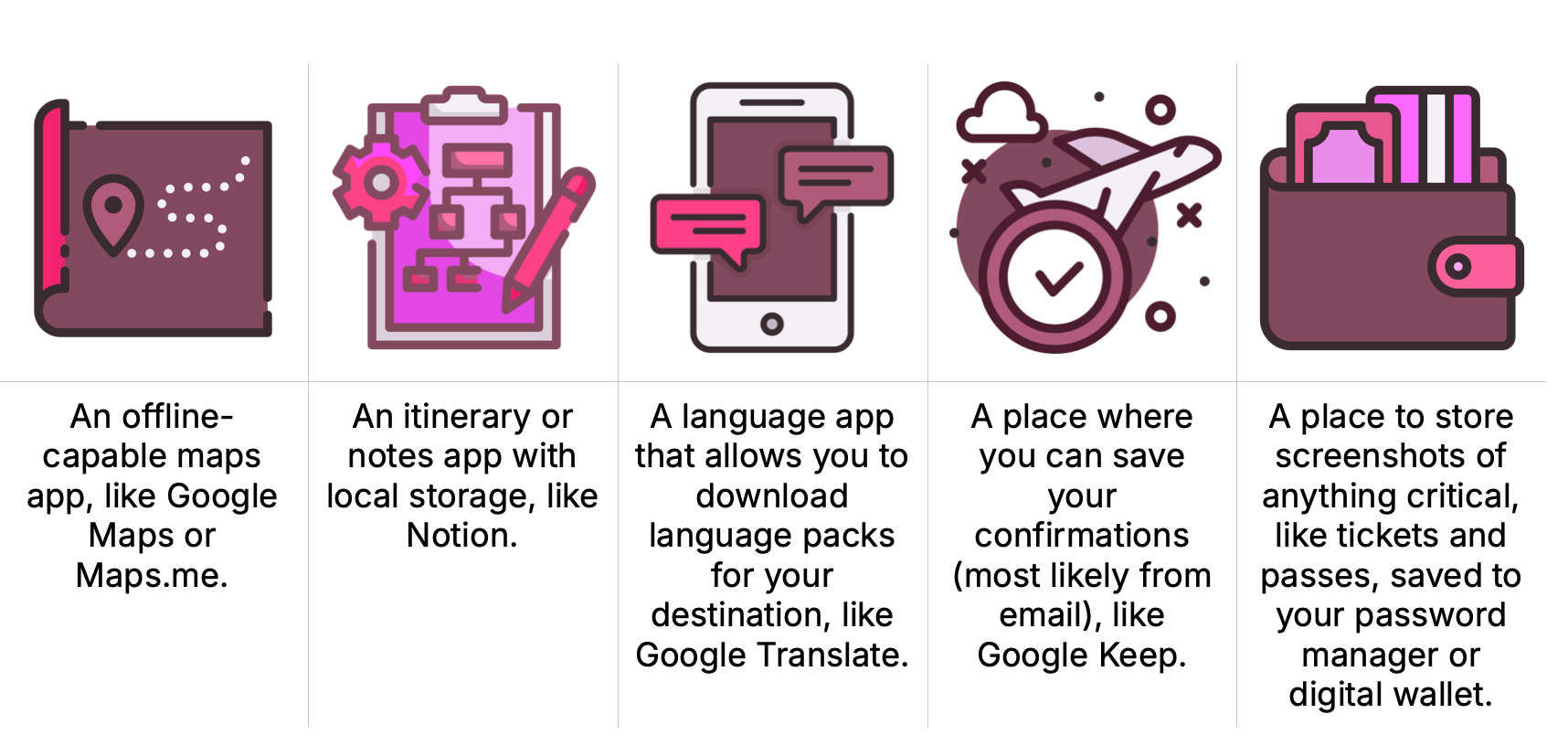
Maps, itineraries, translation, confirmations, and tickets are the foundation of your travel kit, so it's important to use apps that provide access and robust functionality even when you're offline.
Don't Pass Up a Password Manager
A Password Manager is highly recommended for traveling easily and securely. One that continues to work offline is essential, because:
- Most apps require logins
- You may not have all your passwords stored locally on your phone
- You may need to login to an app to refresh content
- Security and privacy concerns
Learn more about Password Managers, the options, and what we recommend in our post Make Your Password Manager Your Ultimate Travel App
Maps That Work Offline
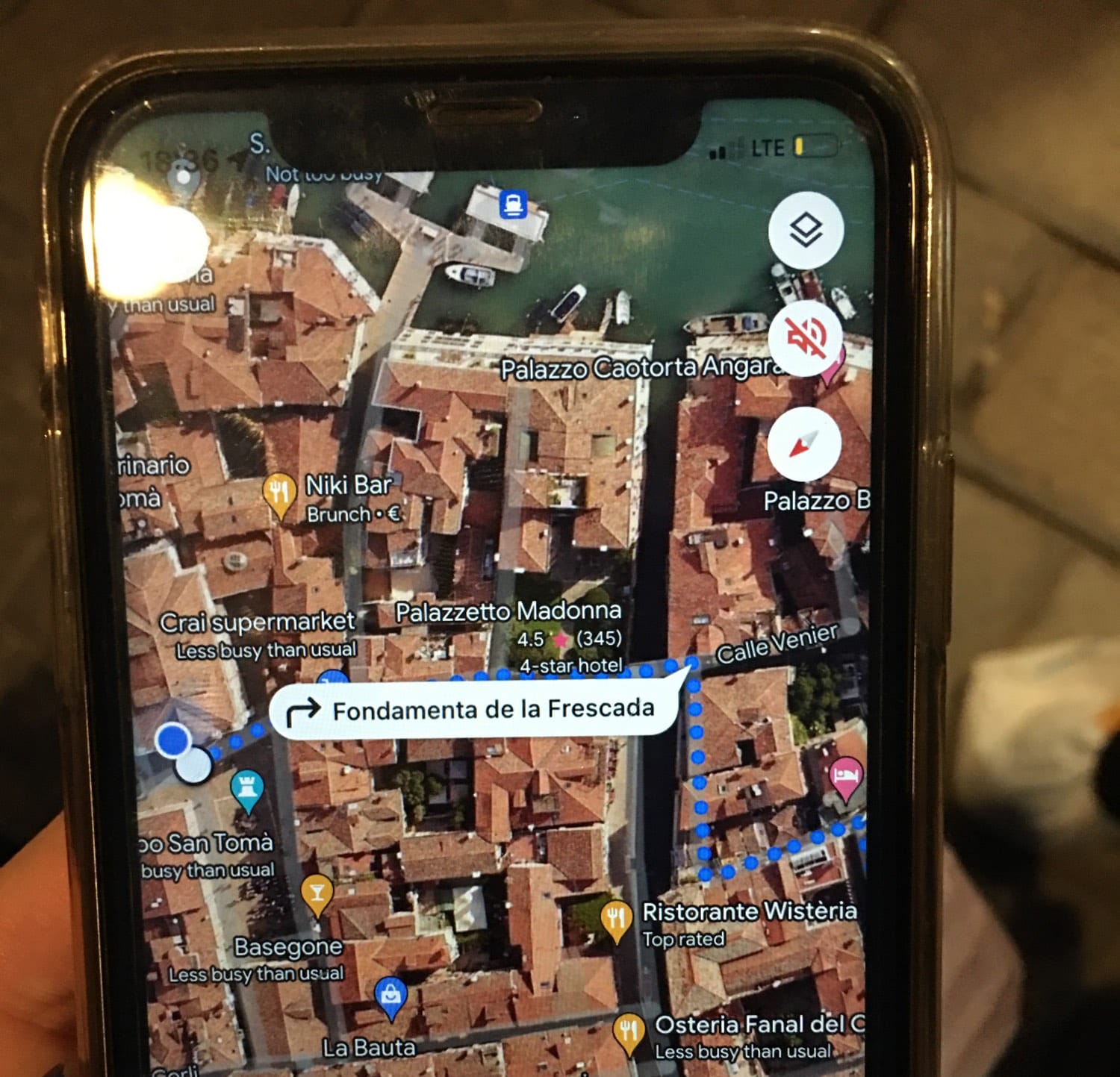
Obviously, mapping and navigation are critical for any travel journey. At minimum, be sure to download maps for your destination before you leave. I wish I had done this before I started wandering around Venice. All those brick walls are great at blocking transmission, and finding my way back to the bus stop wasn't as easy as you would think.
I didn't just need a static image though. Luckily a new friend still had some connection left and she was able to provide me with a route, which was better than just a static image. But there are mapping apps that continue to allow you to search, chart your route, save places, or mark favorite spots without a connection:
Google Maps — Navigate to a destination using a previously downloaded map (make sure the entire route is within the offline map). Note: transit, bicycling, or walking directions aren’t available offline.
GPSmyCity — Recommended by Silvia’s Trips in “The Best Travel Apps for Independent Solo Travelers,” this offline city guide and walk planning tool has over 1,000 routes available.
HERE WeGo — GoAbroad.com thinks this is “the best offline map app that’s ever been made.” It “currently has over 100 countries and 47 languages. ...you can download city maps and transport maps, check out parking availability, and get real-time information.”
maps.me — Among other navigation apps, blogger Quest for Durian recommends Maps.me for remote or off-grid navigation. It has “offline maps with detailed walking trails and guesthouse pins—perfect for remote areas.”
AllTrails — When it comes to outdoor adventures, hiking maps with offline capabilities are absolutely essential. Janice Moskoff at Gather and Go Travel says she uses, “…the AllTrails app for all my hiking needs — planning routes, accessing the trailhead, and sticking to the trail. I pay for the Pro+ membership to be able to download offline contour maps, which will GPS locate me while hiking.”
Compare the pros and cons of these mapping apps and others in our directory
Remember:
- Download maps before you go.
- Don’t assume a map will work well offline; test it right before you go by turning off your connection. Then make sure it still allows you to search for things like addresses and landmarks.
- Walking directions behave differently offline — and they don’t typically provide information about the safest routes. There are several apps for finding those, but most have no or limited offline functionality. Be sure to check your planned routes while you still have a connection.
Many Planning Apps Fall Short
A plan is great until you can’t get to it without an internet connection. The best planning apps still work offline though, so you can open them instantly, without authentication, syncing, or the need for data.
Many travelers are familiar with the established planning app TripIt, but these bloggers have their favorites:
Rome2Rio — Sue Where Why What recommends this transportation tool for organizing and checking travel plans throughout travel, not just while online.
CityMaps2Go — You’ll find a detailed review and real world examples of this offline map and planner app at That Travelista, preferring it over Google Maps and Google Trips [Travel]. “I found it difficult to create a visually appealing map like I could with the colored categories in CityMaps2Go.” Specifically, it can help you map points of interest, alleyways, and custom locations.
Wanderlog — Traveling Brenda provides practical, real world experiences with travel apps like this one to plan her itinerary and access it offline for train schedules and reservations.
Maitey — One of the more recent entries in the category, this app is more than a planning tool. It helps you budget, capture memories, and store travel documents for offline access. It also includes AI chat and audio tours.
Komoot — Exploratory Glory recommends Komoot for outdoor adventures. It provides offline topographic maps, and you can “differentiate hiking paths, MTB singletracks or paved roads, terrain and land cover.”
Easily explore 20+ planning and itinerary apps in our directory to find the right one for you. Then search "offline" to find the ones that function without internet.
Remember:
No matter which app you choose to use for your planning, be sure to:
- Export itineraries as PDFs
- Screenshot confirmations
- Duplicate plans across apps as a backup
Entertainment & Productivity in Airplane Mode
Long haul flights are somewhat easier to bear if you have the right entertainment, and these days there’s a good chance you’ll find yourself on a flight with nothing to do beyond books and printed materials (although I always carry those “toys” too).
We list many apps in our directory to keep you occupied digitally even without paying for an in-flight internet connection (and sometimes spotty speeds).
Save Money by Staying Offline In-Flight:
- Average cost for an Internet connection: $5 to $50 per flight with basic messaging often free or cheap at $0-$10.
- Full access for browsing/streaming:
- Shorter flights: $10-$30+
- Longer, international flights: $20-$50+.
- Many airlines offer monthly/annual passes: $40-$60/month, $400-$600/year
- Deals exist for loyalty members or specific phone plan users like with T-Mobile.
Many of the apps themselves are free; some offer paid upgrades. Some let you download shows, movies, and podcasts for free; some only limited or not at all without a subscription.
For example:
- Spotify’s free version allows you to listen to podcasts offline, but for anything else you need to have a paid account.
- YouTube videos require you to pay for YouTube Premium.
Yaren Fadiloglulari at GoAbroad.com takes a clever approach to passing the time on long-haul flights. In addition to Spotify, she grabs content from Netflix, Kindle, and Audible, but she also likes:
- White Noise “for access to more than 25,000 relaxing sounds, including campfire, singing birds, and more.”
- Quizlet, a flashcard and game app which has, “…different subjects including languages, math, science, and more.” You’ll need to purchase Quizlet Plus to use it offline.
There are many other ways to keep yourself busy in-flight. Consider all types, including skillbuilding, brain training, wellness, and destination exploration. Free offline games are easily found by searching "best free offline games" at Amazon, and there are apps called "Offline Games" in the Apple Store and on Google Play offering thousands of games to while away (waste!) your time.
Remember:
- Grab content before that long-a$$ journey while you still have a reliable and fast internet connection. You don’t want to wait until you’re at the airport to download these large files on a slow, insecure one.
- Go beyond media content to find apps that will keep your brain occupied, your body relaxed, and feeling refreshed for the big landing.
Language & Translation Apps: Feel Like a Local
Offline performance is just as important for language apps, especially when you’re in taxis, restaurants, or markets where your connection may be spotty.
Google Translate is the clear winner in this space. Even Google Lens can work offline. It allows you to point your camera and translate text without an internet connection, as long as you download the specific language pack ahead of time.
However, some have reported that live camera translation may require internet. If that's the case, you can still translate a saved image while offline by going to the Google App, selecting the camera icon (Lens), then choosing the photo icon to get the image translated.
Get Beyond the Basics: Unexpected Ways to Use Google for Your Next Trip
TimeKettle offers a comparison of the 5 Best Translation Apps for International Travel in 2025. In addition to Google Translate, they also suggest Apple’s native translation app, iTranslate for something between “free and professional translation services,” SayHi for conversations, and Microsoft Translator for professionals. You can do a comparison of them yourself with the Language & Translation category in our directory.
If you think it's worth carrying more than a phone for translation, TimeKettle offers its own handheld device, claiming it's, “the world’s first handheld translator powered by an AI edge model, it delivers real-time translations even without internet access.” It has other nifty features too, like a built-in world clock, real-time exchange rates, and voice memos.
Remember:
- If you’re relying on translation at your destination, be sure to give your translation tools a trial run offline before you leave.
Transit, Tickets & Passes: The Offline Safety Net
You can’t always assume your transit app will be connected, especially when you need it most.
- Transit routes don’t always refresh offline
- Saved tickets may not load without data
- QR codes can fail if apps can’t authenticate
- Last-mile directions are often missing
Luckily, there are several apps which can come to your aid:
CityMapper — Free, with paid extra features, CityMapper is especially useful for navigating cities in the U.S. and Europe. It has real-time public transit information, step-by-step directions, and route planning for buses, trains, bikes, and walking. Live transit updates, disruption alerts, and offline maps make getting around stress-free. In the Executive Thrillseeker blog, New Yorker Lyndsay said, “Citymapper is the one app that I use every single day, checking for transit delays and confirming subway arrival times. Since Citymapper supports main metro areas worldwide, the app never leaves my smartphone, even when I travel!”
Transit — Transit automatically downloads schedules in the background, so you can access them without internet.
Remember:
- Download route maps ahead of time.
- Save screenshots of passes, tickets, and QR codes, and keep them organized by adding them to your phone’s wallet while you have a connection. Saving your tickets locally lets you use QR codes or tap-to-go without a signal.
Apple Wallet will store your info securely. Then, you can present tickets for scanning without data or Wi-Fi.
Google Wallet will also store your info securely, but you’ll need to connect periodically to refresh it, since you’re only allowed a limited number of offline transactions.
Get Smart About Offline Travel Apps
Offline access isn’t just convenient. It’s a lifesaver when your connection drops, so decide what you’ll need in real-time. Download everything else when you're connected. Be sure to look for apps that are clear about what features are available offline and test an apps offline functionality before you find yourself without a connection:
- Can I open it instantly with no login?
- Are maps, itineraries, and saved places cached?
- Does it warn me when offline features are limited?
- Can I export or back up critical info?
- Does it degrade gracefully or fail completely?
The Before You Go Checklist
Download our free checklist that makes it easy to be tech-ready for your next trip.
Final Thoughts
Offline functionality isn’t flashy. It doesn’t sell subscriptions. And it rarely shows up in marketing screenshots.
But it’s one of the most important aspects to determine whether a travel app actually works when it matters.
Grabbing a WiFi Connection
Although this article is all about offline, we can’t go without mentioning a way to find a free, public WiFi connection even if you’re without internet access.
Download a map from WiFi Map ahead of time for your destination, as recommended by SIM USA. It’s “useful for checking connection options in cafés, hotels, train stations or public places.” Be aware that “some features such as public transport routes may not be available offline.” They also recommend treating any public computer as compromised, especially when using public WiFi, with the warning, “Don’t forget to install a VPN to avoid unpleasant surprises!”
Want to explore more travel apps with features that work in the real world?
Visit our free and searchable directory to learn more about the apps found in this article and to find the right ones for your next journey.
You can also browse many more that work well offline, including currency converters and tip calculators, bathroom finders, the latest itinerary planning apps, and even an alternative to ChatGPT that provides a private and offline AI experience. Simply filter your search with the word "offline."
Sources:
Executive Thrill Seeker — The 17 Best Travel Apps of 2025
Exploratory Glory — Best Travel Apps: Stay Organized and Stress-Free on Your Next Trip
GoAbroad — 22 Best Travel Apps for Airplane Mode
Gather and Go Travel — The 15 Top Travel Apps I Use for Better Travel
Quest for Durian — The Only Travel Apps I Never Leave Home Without
SIM USA — 11 useful travel apps when you don't always have Wi-Fi
Sue Where Why What — The Best 24 Trip Planning Websites & Apps
Sylvia’s Trips — The Best Travel Apps for Independent Solo Travelers
That Travelista Best Offline Travel Map App: Ulmon CityMaps2Go Review
TimeKettle — 5 Best Translation Apps for International Travel in 2025